 WordPress


Email Auth for WordPress brings a branded, email-verified sign-in experience to your existing WordPress accounts. Customers confirm access to their inbox using an expiring link, then complete sign-in with the password policy you choose. Your users, roles, passwords, and sessions stay in WordPress.
Current release: 1.0.4.
Choose how your users sign in
- Email + Password: verify the email link and require the account’s existing WordPress password. This is the default mode.
- Email Only: give ordinary accounts a passwordless sign-in after explicit email confirmation.
- Email + Optional Password: require passwords for selected roles, or enable the all-user password requirement.
Administrator accounts always require their native WordPress password when using Email Auth. For users with several roles, the stricter applicable password requirement wins.
A deliberate sign-in from inbox to account
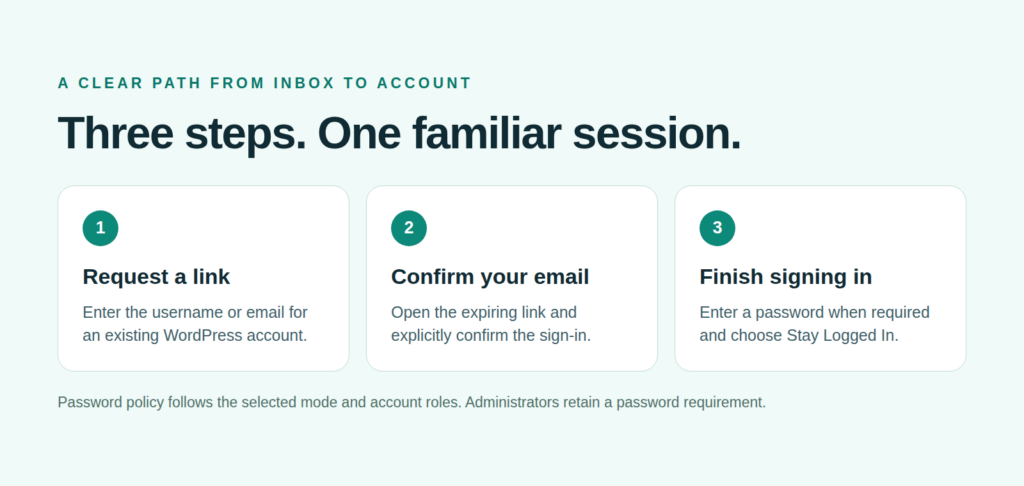
A user enters a username or email, receives a one-time link, and explicitly confirms it before completing sign-in. Merely opening or previewing the link does not establish a WordPress session. Configure link expiry from 5 to 60 minutes; a verified link produces a separate five-minute sign-in challenge.
Match your website’s identity
Configure the verification email subject, sender, logo, footer, and sanitized HTML template. Standard WordPress mail supports an accompanying plain-text alternative. Email Auth uses your existing WordPress email delivery setup, so you can keep the SMTP service you already use.
Add [email_auth_login] to a page to create a dedicated sign-in destination. The login form also supports JavaScript-free submissions, local redirects, and a configurable Stay Logged In option using native WordPress cookies.
Keep control of staff access and recovery
Choose whether to enforce email verification for editorial staff and administrators. Traditional staff access remains available by default until you enable enforcement. A designated main administrator can use the configured password recovery route, including an optional query-protected recovery URL. The recovery route still requires that account’s actual WordPress password.
Version 1.0.4 keeps the recovery URL control visible and lets authorized administrators copy the saved URL after reloading settings. Server-access recovery is also documented for email outages or configuration mistakes.
Built around native WordPress accounts
Database-backed one-time claims, request limits, browser-bound form protection, restricted cookies, and same-site redirects protect the sign-in workflow. Normal logout, password resets, and native session invalidation continue to apply. Noninteractive application passwords, REST, XML-RPC, WP-CLI, and cron keep their documented exemptions.
WooCommerce users retain their existing accounts and roles. Review registration, checkout, and custom authentication integrations before enforcing verification; workflows that create browser sessions need to respect Email Auth’s account policy.
Simple pricing
$29 one time includes free lifetime product updates. Optional product support is $99 per year. Paid support is separate from the included updates.
What you’ll need
- WordPress 6.6 or newer, PHP 8.2 or newer, HTTPS, and working WordPress email delivery.
- Database permissions to create the plugin’s tables during activation.
- Login pages and authentication requests excluded from full-page and CDN caching.
- A tested recovery path and a real inbox-delivery check before enforcing staff or administrator verification.
- PHP OpenSSL for the encrypted, recoverable administrator URL value.
Passwordless sign-in depends on control of the mailbox; it is not an independent second factor. Dedicated multisite acceptance, the PHP 8.2 runtime matrix, and an independent security review remain source-project acceptance tasks. No separate authentication SaaS account is required; hosting and any selected mail-provider charges are separate.