 WordPress



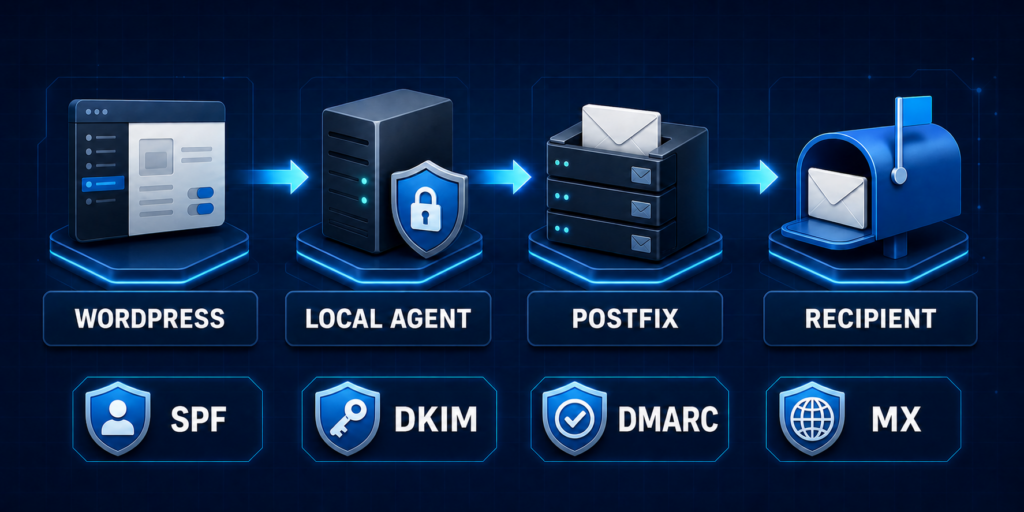
SMTP Server for WordPress is a GUI control layer for Postfix and the supporting services behind a self-hosted mail platform. It connects WordPress to a separately installed, root-owned local agent so administrators can manage domains, DNS authentication, delivery policy, message attempts, forwarding, health, and queue operations without giving WordPress direct operating-system privileges.
Current release: 0.8.57. Release date: September 22, 2026.
Run a mail control plane from WordPress
A guided Direct Mode setup prepares a supported Linux VPS or server for Postfix delivery, Rspamd spam filtering and DKIM signing, ClamAV malware scanning, and PostSRSd forwarding support. The generated one-time SSH command installs the version-matched local agent after an administrator runs it with sudo. On a clean supported host, the installer can install the required mail packages; a supported existing standalone Postfix installation is backed up and requires a reviewed first apply.
The plugin and agent use typed, scoped operations. WordPress sends declarative plans; the agent validates them, writes owned mail-service fragments, checks the candidate configuration, reloads only the necessary services, and rolls failed changes back.
Build and validate your complete DNS plan
Create sender domains and review the SMTP host, SPF, DKIM, and DMARC records required for outbound delivery. Inbound and bidirectional domains also receive an MX plan. Manual copy and validation work with any DNS provider.
Optional Cloudflare automation uses a customer-created, zone-scoped API token stored encrypted in WordPress. The plugin calls Cloudflare directly, preserves unrelated TXT records and existing SPF mechanisms, requires explicit confirmation for MX changes, and validates the resulting public DNS.
Inspect WordPress mail before delivery is ready
Message Log captures each local wp_mail() attempt before routing, even when the agent, sender domain, DNS, or takeover is not configured. Bounded recipients, subject, body, headers, and attachment file names are encrypted at rest and available only to administrators and Mail Server Managers.
Captured HTML messages include a sandboxed preview that blocks scripts, forms, navigation, and remote tracking content. Delegated operators receive privacy-minimized delivery events instead of message content. An optional weekly digest reports aggregate current- and previous-week counts without copying recipients, subjects, bodies, headers, or attachment names.
Manage inbound forwarding safely
Create exact-address, plus-address, catch-all, and multi-destination rules with destination verification, loop detection, and expansion limits. Exact aliases take priority, catch-all is off by default, and unknown recipients are designed to be rejected during SMTP instead of accepted and bounced later.
Use optional HTTPS relay hub/client modes
A WordPress site can operate as a relay hub or connect selected domains to another compatible hub over signed HTTPS/443. A relay client needs the WordPress plugin and outbound HTTPS/443, but it does not run a second local agent or Postfix stack. A port-restricted client can keep inbound SMTP ports closed while publishing its verified forwarding policy to a hub whose public mail stack receives, filters, applies SRS, and forwards accepted messages.
Relay credentials are scoped to each exact WordPress site URL and sender domain. Hub-side inbound permission is separate from outbound submission rights, and the hub retains privacy-minimized operational state rather than a second copy of message content.
A self-hosted alternative to metered email platforms
For teams comparing hosted sending services such as SendGrid or Mailjet, SMTP Server for WordPress provides a self-hosted control-plane option built around infrastructure you operate. The comparison is about deployment and ownership model; it is not a claim of feature-for-feature parity, equivalent deliverability, or included managed relay service.
Required server prerequisites
- A root-accessible, systemd-based Linux VPS or dedicated server on Ubuntu 22.04, 24.04, or 26.04 LTS, or Debian 12 or 13.
- Postfix as the mail transfer agent and queue.
- Rspamd as the spam-filtering and DKIM-signing layer.
- ClamAV as the malware-scanning layer.
- Root or sudo access, working outbound HTTPS, DNS control, a stable public IP, and correct PTR/forward-confirmed reverse DNS.
- Outbound TCP port 25 must be open for direct delivery to recipient mail servers. Any additional SMTP submission, relay, DNS, HTTP, or HTTPS ports required by the selected topology must also be permitted by the VPS provider and firewall.
- Inbound TCP port 25 is additionally required when the server will receive mail or provide inbound forwarding. Outbound-only relay clients using a separate hub can operate over HTTPS/443 without opening inbound SMTP locally.
- Shared hosting, containers, cPanel, Plesk, DirectAdmin, other MTAs, multi-instance Postfix, and SMTP listeners whose ownership cannot be verified are intentionally refused.
- The separately operated FastEmailServers premium SMTP relay remains deferred and is not included as an available service in this release.
Simple commercial terms
SMTP Server for WordPress is $299. Future product updates are included free for life. Optional product support is $49 per year, and buyers can renew another year of support at the same $49 price.
Operational readiness disclosure
Version 0.8.57 passed the source project’s automated agent, relay, and static-contract tests. The source project still records outstanding live supported-OS evidence, real-provider deliverability, inbound/open-relay, Cloudflare, load and abuse, accessibility, localization, privacy, and legal review gates. Test on a controlled server first, confirm every required service and network path, and do not point production MX at the system or enable permanent mail takeover until the applicable external checks have passed.